Take a 10-second check-in photo. Physicly's AI X-Ray scores every muscle group, shows what moved since your baseline and projects where your training leads six months out.


Same spot, same light, a few seconds. Every photo sharpens the diff against your baseline.
Snap a front photo. Your iPhone checks pose, framing and light before anything is sent.
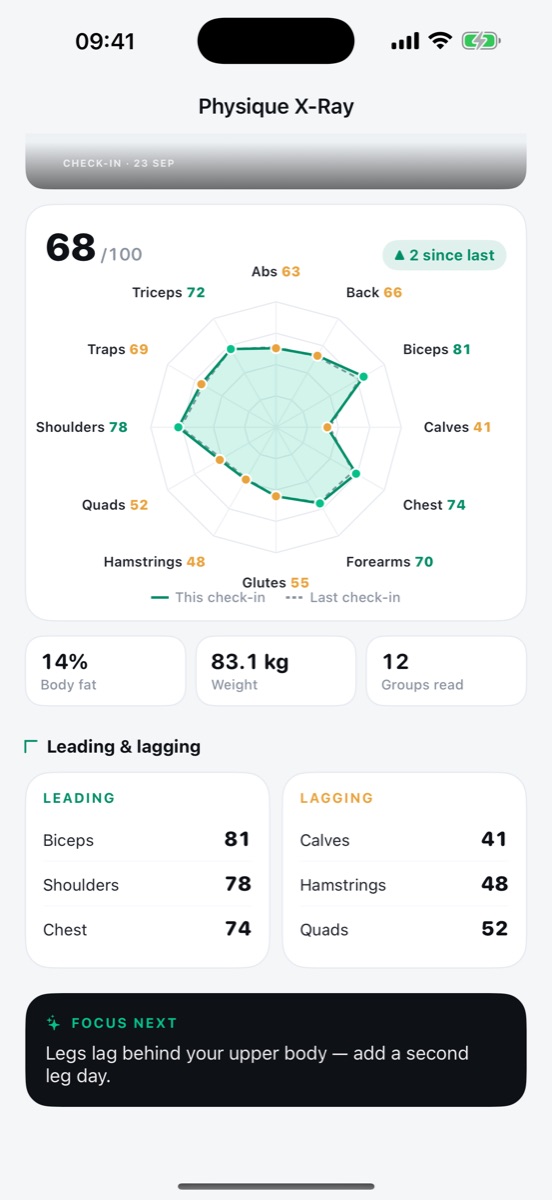
AI reads body composition, muscle groups and balance, and gives each one a score.
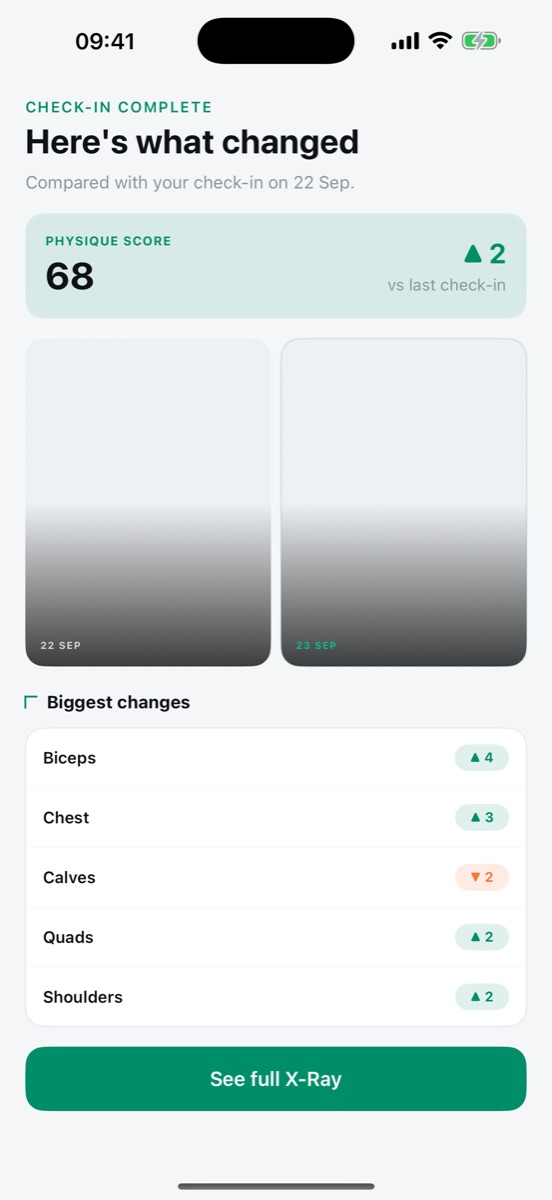
Ghost overlay, side-by-side and score deltas against your baseline. Proof, not a feeling.
Your Physique Score and the muscle groups that moved, by how much, against your last check-in or your baseline. Then the full X-Ray, one tap away.

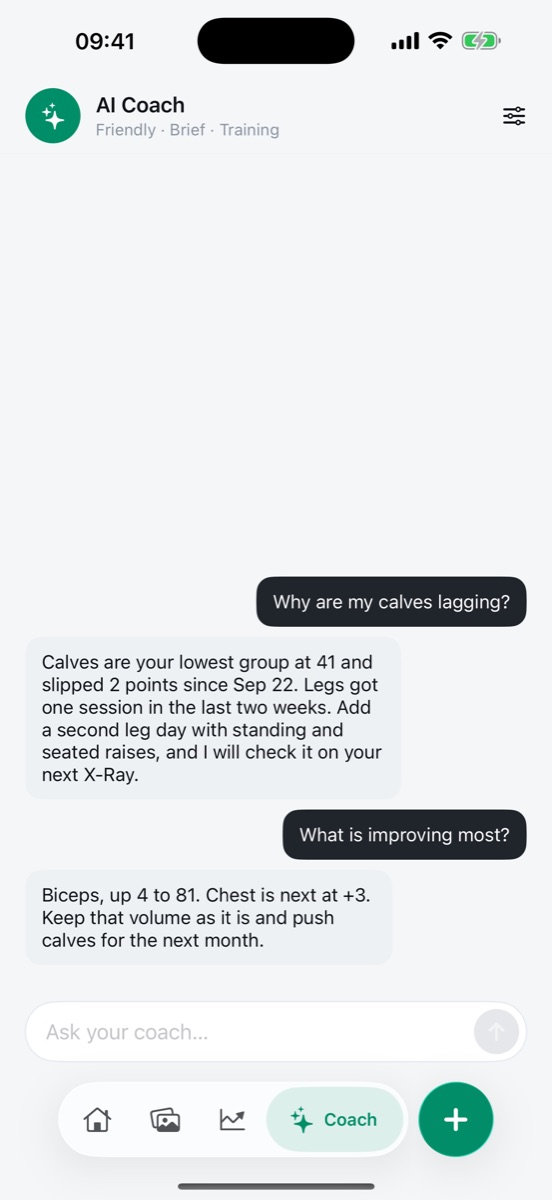
Ask why your calves are lagging. The answer comes from your scores, training and nutrition, not generic tips.

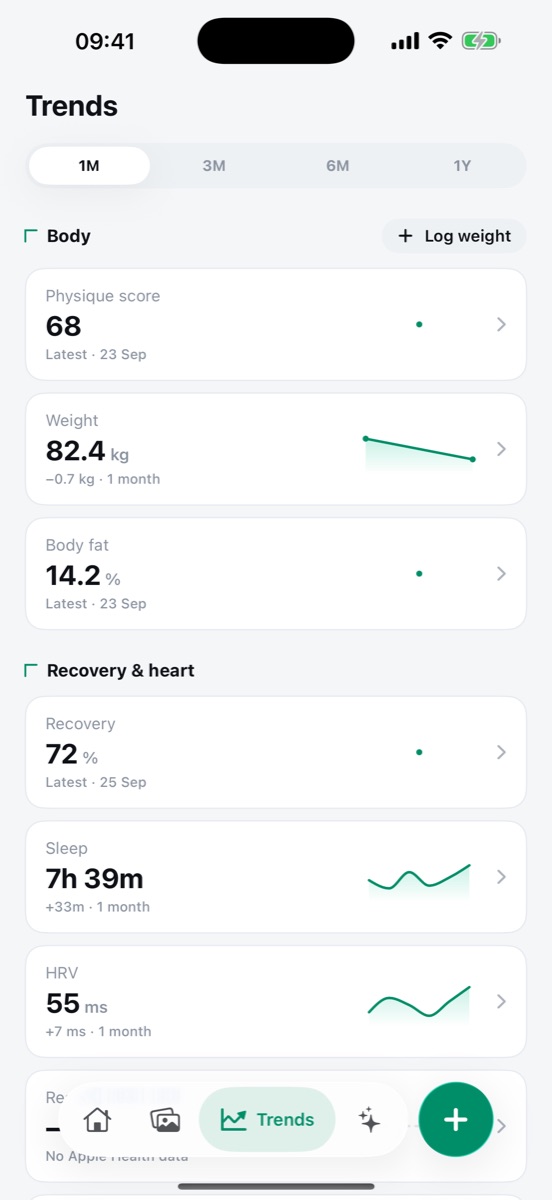
Physique Score, weight and body fat next to recovery, sleep and HRV from Apple Health. One month, three, six or a year.

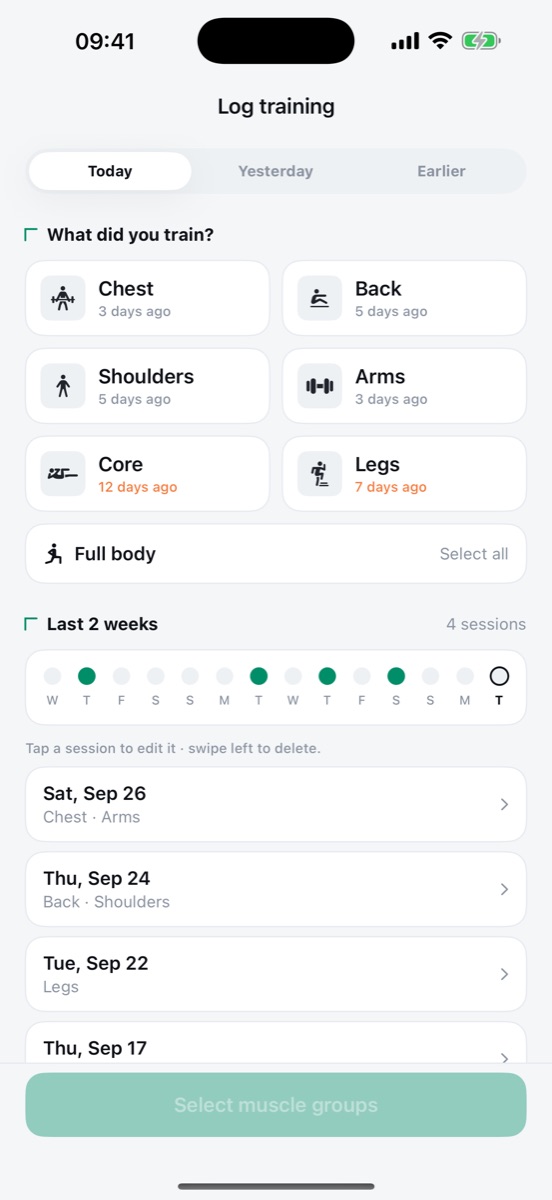
Tap the muscle groups you trained. No sets, no reps. Every session feeds your Physique Score.

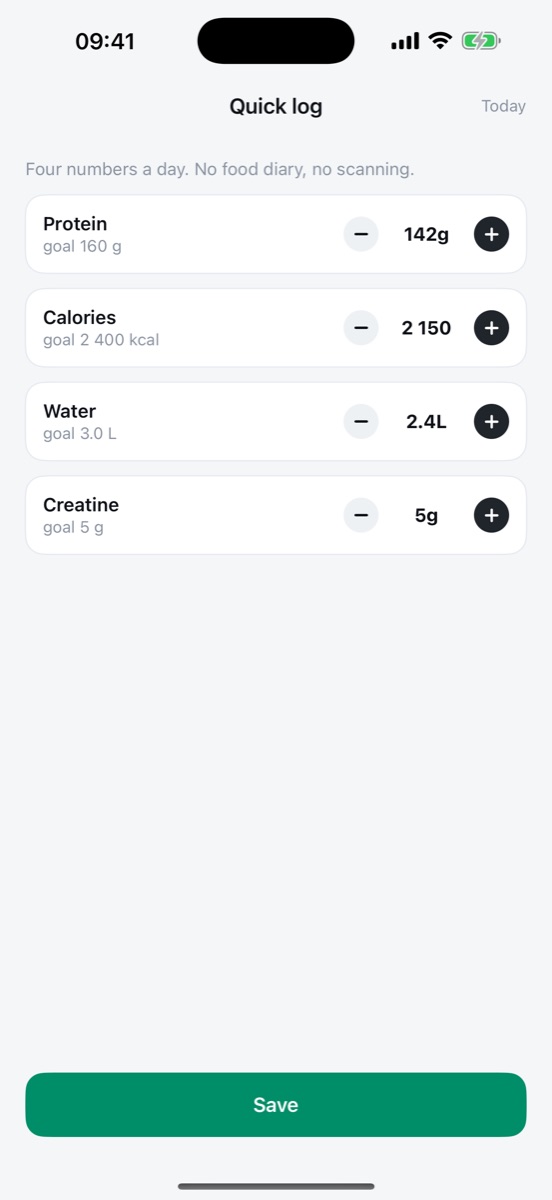
Protein, calories, water and creatine. No food diary, no barcode scanning.

See your physique six months ahead, rendered from your own photo and your training, as a before-and-after slider. A visual estimate, not a guarantee.
Weight, sleep, HRV, steps and workouts sync in the background. You choose what's shared.
Setup is free and includes your baseline X-Ray and a six-month projection. Ghost Pass unlocks the rest.
Auto-renewable subscription. Cancel any time in your App Store settings.
Daily works best: one photo, about ten seconds. Missed a day? You can add a check-in for an earlier date.
An iPhone on iOS 17.6 or later and a spot with good light. A front photo is enough to start. More angles give a sharper read over time.
Scores and projections are visual estimates from your photos. They're built for tracking change over time, and they get more consistent when you shoot in the same spot and light.
No. Physicly is a fitness and wellness tool, not a medical service. Talk to a professional before big changes to training or diet.
Ghost Pass is billed by Apple. Manage or cancel it any time in Settings, then your Apple ID, then Subscriptions.
The first photo is the one every future check-in is measured against.
Coming soon to theApp Store